Discover our services
Computer Repair, Phone Repair & Electronics Support
We still do the hands-on fixes—especially when it impacts your work.
Computer repair and troubleshooting (laptops/desktops)
Device setup, data transfers, and performance issues
Phone setup, syncing, storage cleanup, and app troubleshooting
Electronics repair support (case-by-case)
Service Area & How We Work
Techie Town Boston is based in Cambridge and serves Boston and surrounding areas, plus remote IT support across the U.S. We’re by appointment so you get focused, high-quality service—fast.





Techie Town Boston delivers Managed IT Services for small businesses in Boston, Cambridge, and across Massachusetts/New England—plus fast mobile and virtual support when you need it. We keep your systems secure, stable, and productive with proactive monitoring, cybersecurity, Microsoft 365/Google Workspace management, and responsive help desk support.
Managed IT Services (Core Focus)
Stop reacting to tech problems and start preventing them.
Proactive monitoring & maintenance (PCs/Macs, updates, patching, performance)
Help desk support (remote-first, on-site when needed)
Cybersecurity essentials (endpoint protection, malware defense, security hardening)
Microsoft 365 / Google Workspace administration (users, devices, permissions, email)
Identity & access management (MFA, password policies, account protection)
Backup & disaster recovery support (cloud + local, restore testing guidance)
Network & Wi-Fi management (routers, mesh Wi-Fi, reliability + speed optimization)
New hire onboarding/offboarding (accounts, devices, access control)
IT documentation & asset tracking (who has what, what’s configured where)
Business IT Support (Projects + Upgrades)
When you’re scaling, moving, or modernizing—this is where we shine.
Office/home-office setups for teams
Device rollouts, replacements, and data migration
Email migrations, domain/DNS support, and deliverability fixes
Cloud file sharing + collaboration workflows (SharePoint/OneDrive/Google Drive)
Printer setup and shared device configuration
Vendor coordination (ISP, VoIP, software providers)
Virtual Tech Help (Remote Support)
Quick, effective remote troubleshooting for staff and individuals.
Slow computer tune-ups & performance optimization (Windows/Mac)
Software installs, updates, and configuration
Wi-Fi diagnosis and connectivity troubleshooting
Security checkups, deep malware scans, and cleanup guidance
Password manager setup, account recovery, and device sync
Techie Town Boston is based in Cambridge and serves Boston and surrounding areas, plus remote IT support across the U.S. We’re by appointment so you get focused, high-quality service—fast.
Services built for uptime, security, and speed.
Techie Town Boston is a mobile and virtual IT & electronics service based out of Cambridge, Massachusetts. We help small businesses and professionals across Boston, Cambridge, and Greater Boston, with remote support nationwide. Appointment-only (no walk-ins).
Fastest route: text “URGENT TECHIE” to (401) 516-6785. Typical response within 1 hour during business hours.
A modern IT partner (not a “have you tried turning it off?” shop).
You’re buying outcomes: less downtime, fewer security incidents, and systems that stay fast. We combine practical managed IT services with cybersecurity best practices—then back it up with real-world electronics diagnostics and repair when hardware is the bottleneck.

Managed IT Services (built around cybersecurity)
Perfect for small businesses that need a dependable tech department without hiring one. We help you stabilize the environment, reduce risk, and keep your team productive—whether you’re on Google Workspace, Microsoft 365, or a mixed stack.
Cybersecurity Baseline + Hardening
Practical defenses that reduce real-world risk—without slowing your team down.
- MFA rollout, secure login policies, and account protections
- Device security posture: updates, endpoint controls, safe defaults
- Phishing risk reduction + user guidance (simple, non-judgy)
- Network security basics: Wi-Fi encryption, segmentation, guest networks
Managed Help Desk (Remote + On-site MA)
When things break, you want speed and accuracy—not guesswork.
- PC/Mac troubleshooting, performance, and cleanup
- Email issues: Google Workspace / Gmail / Microsoft 365 / Outlook
- Software installs, updates, configuration, and optimization
- Printer + scanning workflows (network printers included)
Workstations + New Device Setup
Clean builds, migrations, and setups that feel “new” again.
- New computer setup, secure configuration, and performance tuning
- Data migration (local files, cloud sync, accounts)
- Business app setup + productivity improvements
- Peripheral setup: docks, monitors, keyboards, webcams
Networks, Wi-Fi, & Reliability
Dead zones, disconnects, slow speeds—fixed with a real plan.
- Wi-Fi optimization (coverage, channel planning, placement)
- Router/switch setup, cabling logic, and network cleanup
- VPN + secure remote access for business
- Network printer + scanner setup for multi-device teams
Cloud, Backups, & Business Continuity
Because the best disaster is the one that never becomes a disaster.
- Backup planning (local + cloud) and recovery testing
- Google Workspace and Microsoft 365 setup + hardening
- Shared drives, permissions, and clean user offboarding
- Business continuity checklists and “what if” planning
Memberships & Ongoing Support
For businesses that want predictable support and proactive maintenance.
- Priority response, scheduled maintenance, and recurring checkups
- Documentation: devices, accounts, network map, and “how it works” notes
- Security-first onboarding/offboarding processes
- Optional 24/7 remote help desk coverage (managed clients)
Get membership pricing by email: support@techietownboston.town
Electronics Repair & Diagnostics
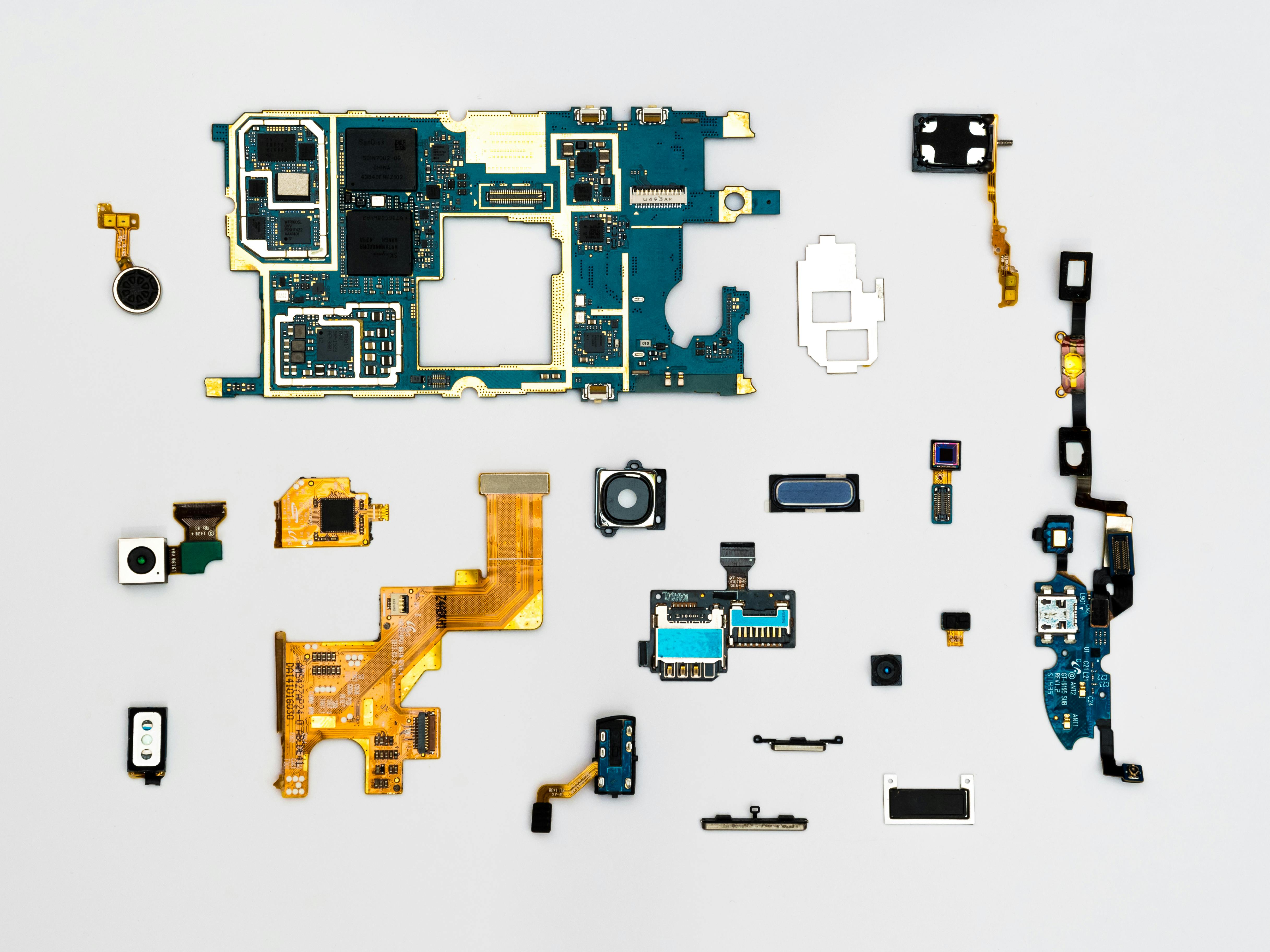
When hardware is the problem, you need clean diagnostics and a realistic plan. We support common consumer and business devices, including phones, laptops, desktops, and select electronics. For repairs that require bench time, we offer appointment/drop-off and pickup & drop-off options across Massachusetts (availability and pricing depend on location).
Common devices we work on
Popular repairs & fixes
- Diagnostics & repair planning (starting at $50)
- Charging issues, battery evaluation, and power troubleshooting
- Cracked screens and display problems (device dependent)
- Overheating, fan noise, thermal cleanup, performance restoration
- Ports, buttons, speakers, microphones, and intermittent faults
- Micro-soldering / board-level assessment when applicable (case dependent)
Need fastest response? Text “URGENT TECHIE” to (401) 516-6785.


We confirm scope and pricing in writing before work proceeds beyond the approved plan.
What the typical process looks like
Whether it’s managed IT services, cybersecurity work, or electronics repair, the workflow is designed to be clear, documented, and secure.
Step-by-step
-
1Intake + triage Quick questions to identify scope, urgency, and best service type (remote / on-site / drop-off).
-
2Secure access (when needed) Remote sessions are handled carefully; we avoid collecting passwords and prefer you enter credentials.
-
3Diagnostics + plan We identify root cause, confirm options, and provide a written plan and estimate.
-
4Approval + work Work begins after service authorization/MSA (when applicable) and required deposit for parts/extended jobs.
-
5Verification + handoff We test, confirm stability/security basics, and document what changed.
Security & privacy (quick policy)
- We only request access needed to complete the approved scope.
- Whenever possible, you enter your own passwords/2FA codes.
- We document changes and recommend security best practices for your environment.
- Data recovery is best-effort: outcomes depend on device condition and failure mode.

FAQ + quick terms
The short version: we keep it professional, documented, and fair. For anything complex, we confirm scope and pricing in writing.
How do I choose remote vs on-site vs drop-off?
Remote support is best for software, account access, email, setup, and many troubleshooting jobs. On-site is ideal for Wi-Fi/network work, printers, office setup, and hands-on coordination. Drop-off/pickup is best for bench diagnostics and repairs.
Do you offer pickup & drop-off in Massachusetts?
Yes—pickup & drop-off is available by appointment for eligible devices. Pricing depends on location/distance and scheduling availability. Some logistics windows may require a deposit to reserve.
What is the cancellation / rescheduling policy?
Please provide at least 24 hours’ notice to cancel or reschedule. Late cancellations or no-shows may result in reserved-time charges and/or deposit requirements for future bookings.
Do you guarantee data recovery?
Data recovery depends on the device condition and failure mode. We provide best-effort diagnostics and a clear plan. For mission-critical environments, we strongly recommend backups and recovery testing as part of managed IT services.
How do I start?
Book at /appointments, email support@techietownboston.town, or call/text (401) 516-6785.
Ready for professional IT support, cybersecurity help, or a real diagnostic?
Tell us what you’re dealing with (device/model, symptoms, when it started, and your best availability). We’ll recommend the fastest path: remote, on-site in Massachusetts, or drop-off/pickup.
Techie Town Boston
Mobile & Virtual IT Support • Computer & Phone Repair • Electronics Repair • Business Consulting
Phone: (401) 516-6785
Email: support@techietownboston.town
Website: techietownboston.com
Hours: By appointment only (no walk-ins)
Service Area: Cambridge & Boston, MA and surrounding communities • Most of New England • Remote support available across the United States
Social: Facebook • Instagram • LinkedIn • TikTok
Electronics Repair Pricing & Turnaround — Boston + Cambridge
Techie Town Boston is a mobile and virtual IT + electronics repair service based out of Cambridge, MA (appointment-only). No storefront, no waiting in a lobby — we come to you (or handle it remote), with clear estimates, real diagnostics, and pro-level repair workflow.
During business hours, we aim to respond within 1 hour.

Phone & Tablet Repairs (iPhone / Android / iPad)
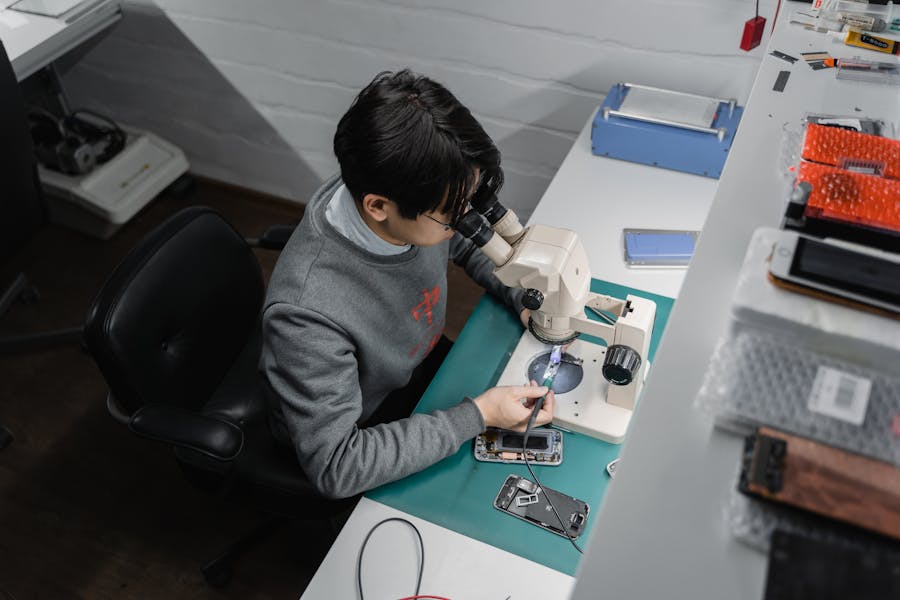
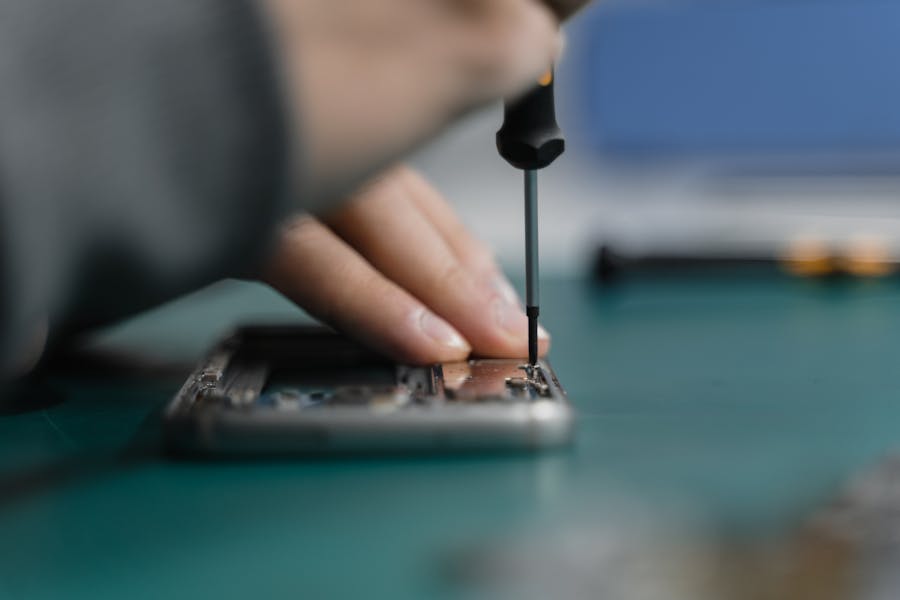
The most common wins: screen replacement, battery replacement, charging port issues, camera swaps, and device hardening after malware or account compromise.
-
Screen replacement (glass + display) Typical range depends heavily on model (LCD vs OLED, newer flagships cost more).$125–$500+
-
Battery replacement Fixes fast drain, random shutdowns, swelling risk — safety check included.$59–$150
-
Charging / port issues Clean, diagnose, repair/replace port when needed (USB-C / Lightning).$90–$180
Laptop & Computer Repairs (Mac / Windows)
We repair and optimize: MacBook, Dell, HP, Lenovo, ASUS, Acer, Microsoft Surface, and custom PCs.
-
Battery replacement + power diagnostics Includes battery health check + charging system verification.$129–$299
-
Overheating / fan noise / thermal service Cleanout, thermal materials, heatsink inspection (when applicable).$80–$180
-
Performance upgrades + tune-up SSD/RAM compatibility guidance + malware cleanup + stability optimization.$99–$249
Game Consoles & Controllers (PS5 / Xbox / Switch)
We handle common failures: HDMI no-signal, overheating/shutdown, fan and power issues, and controller problems like stick drift.
-
HDMI port repair / replacement (micro-soldering) PS5, Xbox Series X|S, PS4, Xbox One — board-level precision work.$175–$275
-
Overheating / deep clean / thermal service Dust removal + thermal inspection; helps prevent shutdown and throttling.$90–$200
-
Controller repair (drift, buttons, ports) Diagnose and repair stick drift, button failure, charging issues.$45–$120
Micro-Soldering & Board-Level Repair
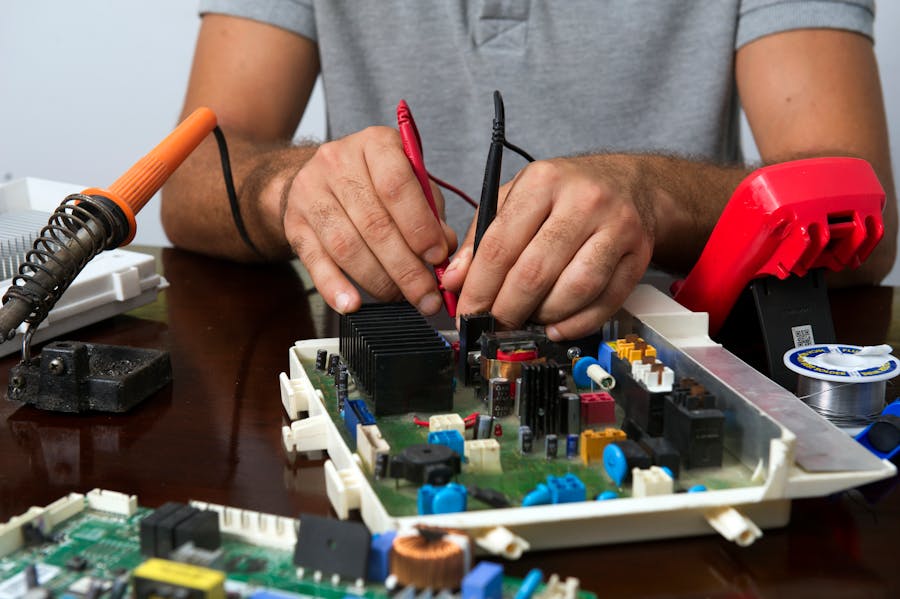
When a simple swap isn’t enough: we do board-level diagnostics and repair for ports, connectors, pads/traces (when viable), and intermittent power faults.
-
Board-level diagnostic (bench) Root-cause analysis before any high-risk repair work.From $50
-
Port replacement (HDMI / USB-C / charging) Precision soldering + inspection (microscope work when required).$150–$400
-
Data extraction support (limited cases) When a device won’t boot, we can evaluate safe extraction options.Quoted
What the Typical Repair Process Looks Like
Professional shops win by doing the boring parts correctly: clear intake, real diagnostics, written scope approval, and a clean handoff. That’s the whole game.
Pickup & Drop-Off (Massachusetts)
• Free drop-off available for all clients (appointment required).
• Same-day pickup available for a small fee depending on location + routing availability.
• Free pickup + drop-off on orders over $150 (where scheduling allows).
• We’re a mobile and virtual operation — no public storefront. Office base: Cambridge, MA.
Repair Times, Parts & What Affects Cost
Typical turnaround is driven by three variables: parts availability, repair complexity, and device condition (prior repairs, liquid damage, board damage). Many common repairs can be completed same day when parts are in stock and the device has no compounding issues.
Cancellations + Terms (Quick Version)
• Please provide at least 24 hours’ notice to cancel or reschedule.
• Late cancellations/no-shows may require a deposit for future bookings or forfeit reserved-time charges.
• Some jobs require a deposit before parts are ordered or bench time is reserved.
• All work is scoped and approved in writing before proceeding beyond the plan.
Data Privacy & Security (Quick Version)
We treat devices like they contain sensitive data — because they do. We minimize access, only request credentials when necessary, and recommend enabling full-disk encryption and MFA on accounts. For business clients, remote help desk support is available 24/7 worldwide.