

Managed IT • Cybersecurity Fundamentals • Repairs & Diagnostics • Fast, Clear SupportModern IT Support & Cybersecurity for Boston + Cambridge — Remote Nationwide
URGENT TECHIE: Email or Text “URGENT TECHIE” • ~15-min response target (coverage windows)
URGENT TECHIE: Email or Text “URGENT TECHIE” • ~15-min response target (coverage windows)
About Techie Town Boston
Mobile & Virtual IT Support in Boston + Cambridge
plus Remote Support Nationwide
Techie Town Boston is a mobile and virtual technology support company based in Cambridge, Massachusetts. We help individuals and businesses with IT support, managed IT services, practical cybersecurity, and electronics diagnostics/repair—without the usual runaround. We operate appointment-only: no walk-ins, no waiting room, and no “drop it off and hope.”



Our foundation
Who Techie Town Boston Is
Techie Town Boston is built for modern support: fast, documented, and security-aware. We help clients stabilize devices, modernize business systems, and prevent recurring issues—without turning everything into a mystery box. Our core work centers on IT support, managed services, and electronics diagnostics/repair.
Managed IT Services (Small Business & Professional Teams)
Ongoing support that keeps your day-to-day tech reliable—users, devices, accounts, and workflows.
- Help desk support (remote-first) + escalation path when on-site is needed
- Device onboarding/offboarding, standardization, and documentation
- Microsoft 365 & Google Workspace support, permissions, and best-practice setup
- Backup strategy, patch cadence, and basic network reliability
Practical Cybersecurity (Not Theatrical)
Security is mostly the fundamentals done consistently—then reviewed and maintained.
- MFA rollout + safer sign-in + account recovery planning
- Endpoint hardening guidance (encryption, updates, secure defaults)
- Phishing risk reduction + mailbox best practices
- Backup and restore readiness (ransomware-aware thinking)
Remote & Virtual IT Support (Nationwide)
Remote troubleshooting for fast resolution—ideal for urgent fixes, account issues, and workflow breakdowns.
- Performance issues, crashes, software conflicts, malware cleanup guidance
- Email/login/MFA issues (Gmail, Outlook, Microsoft 365, Google Workspace)
- New device setup, migrations, and safer configuration
- Business support options including after-hours coverage (scope-based)
Electronics Diagnostics & Repair (Appointment / Drop-off)
Professional diagnostics and repair planning for devices that need bench testing, deeper inspection, or parts coordination.
- Phones/tablets, laptops/desktops, consoles/controllers, and general electronics
- Common repairs: screens, batteries, charging issues, overheating, ports
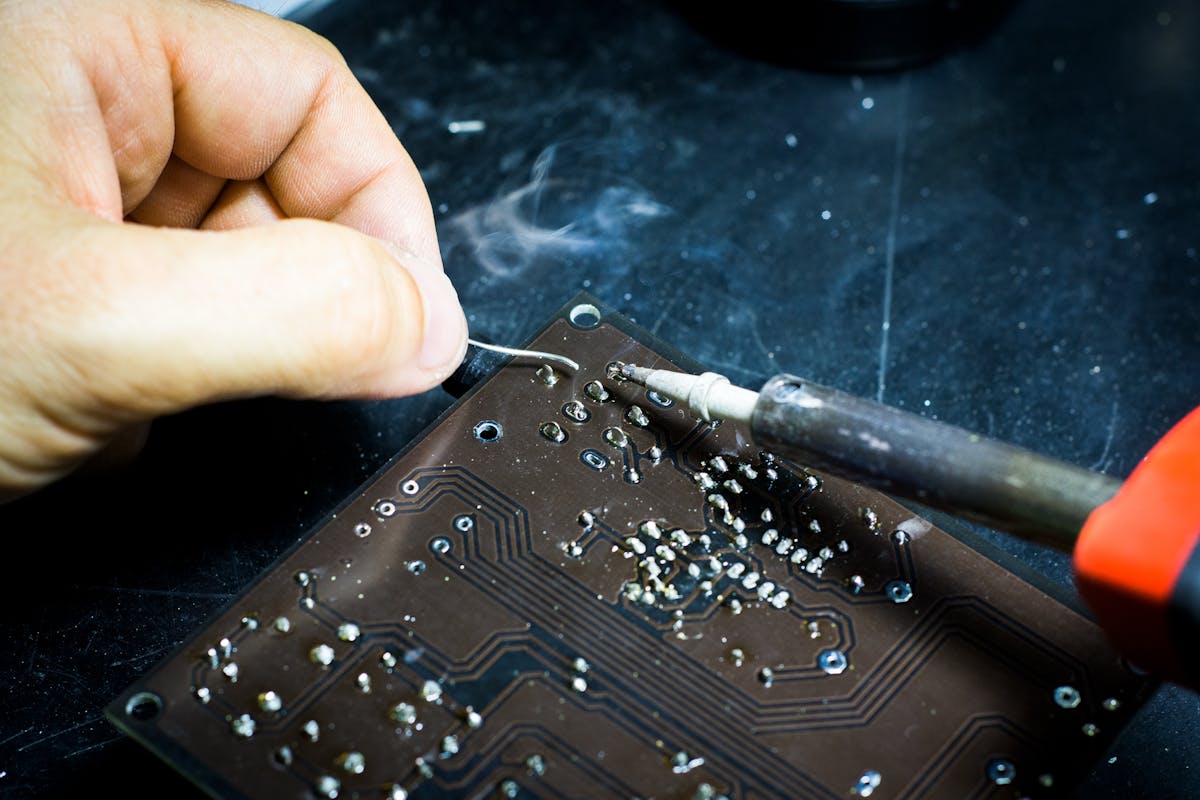
- Board-level work when viable (ex: connector/port repairs, micro-soldering scenarios)
- Clear scope approval before proceeding beyond the plan
The why
Why We Exist (and why our clients stick around)
Tech support shouldn’t be confusing or gatekept. We built Techie Town Boston around three promises: clarity, security fundamentals, and repeatable results. That means fixing the immediate issue, then improving the setup so the same problem doesn’t keep coming back.
Clarity over confusion
Plain-English explanations and written scope so you always know what’s happening.
- Root cause first (not guesswork)
- Options ranked by impact + budget
- Clean next steps (no vague “maybe”)
Stability you can feel
We tune, test, and verify—so the fix holds up after we leave.
- Performance + reliability checks
- Safer defaults and update hygiene
- Prevent repeat incidents
Process
How We Work (Clear, Secure, Documented)
Great tech support isn’t magic—it’s process. Our workflow keeps projects clean, communication clear, and security considerations included from the start.
Education
Tech Classes & Workshops (Individuals • Teams • Community)
We don’t just fix devices—we help people feel capable using them. Classes and workshops are designed to reduce tech stress, improve safety habits, and make everyday tools easier.
Classes for individuals
Beginner-friendly, hands-on learning that focuses on useful habits.
- Computer basics + performance habits (speed, storage, updates)
- Phone mastery (photos, backups, cleanup, security settings)
- Wi-Fi confidence (placement, upgrades, reliability troubleshooting)
- Digital organization (cloud storage, file systems, backup habits)
Workshops for groups & businesses
Great for onboarding, safer habits, and productivity workflows.
- Phishing/scam defense + MFA + recovery planning
- Small business essentials (accounts, permissions, shared access)
- Microsoft 365 / Google Workspace basics for teams
- Device setup day (migration + standard settings)
What attendees leave with
Workshops aren’t theory—they produce action.
- Simple checklists and “do this now” steps
- Recommended settings tailored to common devices
- Safer habits around passwords and logins
- Options for follow-up support if needed
Custom topics (we can tailor)
Tell us your goal and we’ll build around it.
- Community groups, nonprofits, founders, small teams
- Windows/macOS • iPhone/Android
- Remote or in-person formats (schedule/location dependent)
- Goal-based sessions: reduce issues, speed onboarding, improve safety
Value
Buy • Sell • Upgrade (the sane way)
Sometimes repair is smart. Sometimes replacement is smarter. We help you choose based on real performance needs, budget, and reliability—then we set it up correctly so it stays stable.
Repair vs. replace
Clear options based on cost, longevity, and expected performance.
- Honest feasibility check before you spend
- Upgrade planning for speed + stability
- Prioritize value (avoid “cheap now, painful later”)
Setup & migration
New device? We help it feel like “your” device immediately.
- Account cleanup + secure sign-in setup (MFA)
- Data migration + organization
- Wi-Fi/printers/apps restored
- Backup plan you’ll actually follow
Coverage
Boston Roots, Cambridge Base — Mobile + Remote Support
We’re based in Cambridge, MA and serve clients across Boston, Cambridge, and surrounding Massachusetts areas by appointment. For remote troubleshooting and virtual IT support, we help clients nationwide.


Trust
Data Handling & Security (Plain English)
Devices and accounts are sensitive by default. We follow a “minimum access” mindset: we only access what’s needed to solve the problem, we recommend safer authentication (like MFA), and we document what changes were made.
Credentials & access
Whenever possible, clients enter passwords and 2FA codes themselves during the session.
- MFA setup and account recovery planning
- Safer permissions and admin role guidance
- Documentation of significant system/account changes
Backups & recovery thinking
The best time to test recovery is before an incident.
- Backup strategy guidance (what/how often/where)
- Restore-readiness recommendations
- Safer defaults (updates, encryption guidance where appropriate)
Note: Exact recommendations depend on the environment (Microsoft 365, Google Workspace, Windows/macOS, iOS/Android, etc.). We keep it practical and maintainable.
Growth
Careers & Partnerships
Techie Town Boston grows through collaboration. We work with technicians, instructors, and partners who value quality work, clear communication, and security-aware support.
Who we collaborate with
Skilled people who want to do the job right.
- IT support techs (remote-first; on-site as needed)
- Computer/phone repair technicians (diagnostics + repair planning)
- Workshop instructors (beginner-friendly teaching)
- Ops/client experience collaborators
What we look for
Professional, accountable, and human-friendly.
- Clear communication + respect for customer data
- Documentation mindset (repeatable process)
- Security awareness (accounts/data are sensitive by default)
- Fixes that hold up after the session ends
FAQ
FAQ — Quick Answers
These are the questions people ask right before they book.
Do you have a storefront or offer walk-ins?
No. Techie Town Boston is appointment-only and operates as a mobile and virtual service. We schedule remote sessions, on-site visits, and drop-off/pickup logistics in advance.
What areas do you serve for on-site support?
On-site service is available across Boston, Cambridge, Greater Boston, and surrounding Massachusetts areas by appointment. Remote support is available nationwide.
What kinds of businesses do you support?
Small businesses and professional teams that need reliable systems: users/devices, Microsoft 365 or Google Workspace, endpoint stability, basic network reliability, and cybersecurity fundamentals (MFA, patching, backups, recovery planning).
What electronics do you repair?
Typical devices include phones/tablets, laptops/desktops, consoles/controllers, and general electronics requiring diagnostics. Repair options depend on device condition and parts availability; we confirm scope and pricing before proceeding beyond the plan.
How do you handle data and privacy?
We treat devices as sensitive by default. We minimize access, recommend secure sign-in and encryption where appropriate, and document major changes. For certain requests, you may be asked to enter credentials directly during the session.
Do you provide after-hours or 24/7 support?
After-hours support can be requested. 24/7 coverage is available for managed clients under an agreement (scope-based). Standard response windows are fastest during business hours.
Quick policy note: Work begins after scope approval. Some jobs (especially business projects, parts-based repairs, or reserved bench time) may require a deposit or written authorization. Service availability can vary by scheduling and location.
FAQ — Quick Answers Before You Book
Here are the most common questions we get about scheduling, urgent support, service areas, pickup/drop-off, and how pricing works—so you know exactly what to expect before we start.
-
We’re appointment-only (no walk-ins). This keeps response times fast and ensures we’re prepared with the right tools, parts, and time block for your issue. Book online or contact us to schedule.
-
For time-sensitive issues, email or text “URGENT TECHIE” and include a quick summary of the problem. We aim for a ~15-minute response target during coverage windows, then we’ll triage and recommend the fastest safe path (remote session, scheduled on-site, or drop-off).
-
Yes—pickup and same-day drop-off may be available depending on scheduling, location, and the service type. We’ll confirm availability and timing when you book.
-
We serve Boston, Cambridge, and surrounding Massachusetts areas by appointment for mobile/on-site work. We also provide remote IT support nationwide for many issues (performance problems, email/login issues, software troubleshooting, security concerns, and more).
-
We keep it clear: we start with a quick assessment/diagnostic and scope, then provide options and next steps. Work beyond the initial scope begins only after approval. Some repairs or reserved bench time may require a deposit depending on parts and scheduling.
About • Techie Town Boston
High-Trust IT Support & Device Repair for Boston + Cambridge
Built for Business Owners Who Don’t Have Time for “Maybe”
Techie Town Boston delivers mobile and virtual IT support, computer repair, and electronics diagnostics with one priority: keeping work moving. We’re appointment-only (no walk-ins), focused on fast resolution, clean documentation, and security fundamentals that reduce repeat problems.




Fast lane
URGENT TECHIE — Rapid Response for “We Can’t Work” Moments
Priority intake channel 15-min target
This is designed for business owners and teams who need fast, calm, professional triage. Send “URGENT TECHIE” by email or text and include: what broke, what changed right before it happened, device/OS, and whether it’s Down, Degraded, or Security concern. We’ll respond with the fastest safe next step (remote session, account recovery, escalation path, or scheduled on-site).
Common urgent scenarios
- Business email / Microsoft 365 / Google Workspace lockouts
- Critical workstation downtime (can’t invoice / can’t access files)
- Suspected compromise, phishing click, or suspicious login alerts
- Network outage affecting multiple users
What you get (high-end)
- Professional triage and “next steps” you can act on immediately
- Remote-first resolution when safe + escalation when needed
- Security-aware handling: minimum access, clear documentation
- Post-fix prevention recommendations to reduce repeat incidents
Business packages
Business IT Packages (Built for predictable cost + fewer emergencies)
Professional teams don’t want “random tech invoices.” Packages create predictable coverage, faster resolution, and fewer expensive breakdowns. These plans are designed for Boston and Cambridge business owners who want consistent IT support, smarter cybersecurity habits, and reliable systems.
On-Demand (Smart support when you need it)
Best for solo professionals and small operations that want a trusted tech partner without a monthly plan.
- Remote IT support sessions (fast troubleshooting and fixes)
- Project-based work: migrations, setups, new device onboarding
- Repair/diagnostics planning with clear scope approval
- Documentation after service (what changed + next steps)
Business Care Plan (Monthly coverage)
Designed to reduce interruptions and keep systems clean: fewer surprises, more stability.
- Priority scheduling + recurring maintenance cadence
- Workstation health checks (performance, storage, updates)
- Identity fundamentals: MFA rollout and recovery planning
- Light policy + standards guidance (devices/accounts)
Security Core (Cybersecurity-first operations)
For teams that want stronger protection without “security theater.”
- Account hardening roadmap (MFA, safer sign-in, recovery)
- Phishing defense habits for staff (short training + checklists)
- Backup strategy + restore-readiness planning
- Ongoing review of risk hotspots (email, access, endpoints)
Fully Managed (High-touch support)
For organizations that want a dependable outsourced IT function with consistent standards.
- Help desk style coverage + escalation path
- Onboarding/offboarding process guidance + documentation
- Planned upgrades (avoid surprise failures)
- After-hours / 24/7 options available under agreement (scope-based)
Cost savings
Why professional teams pay less long-term with proactive support
Most IT cost isn’t the repair—it’s the disruption: lost hours, delayed projects, payroll time spent troubleshooting, and recurring incidents. Our goal is to reduce business downtime and the hidden costs of “tech drift” (outdated devices, messy accounts, unmanaged updates).
Prevent expensive downtime
Downtime compounds: one broken workstation becomes missed meetings, delayed invoices, and staff idle time.
- Maintenance cadence reduces surprise failures
- Standard settings prevent common performance issues
- Faster triage = less “lost day” impact
Reduce repeat incidents
Many issues repeat because the root cause wasn’t fixed (or the environment wasn’t stabilized).
- Root-cause approach + verification checks
- Documentation: what changed, why, and what to watch
- Security fundamentals reduce “account chaos” emergencies
Smarter repair vs replace decisions
We prefer repairs when they make financial sense and create real stability—not temporary relief.
- Feasibility check before you invest in parts/labor
- Upgrade planning when replacement is smarter
- Migration done cleanly so the new setup stays stable
Predictable planning beats random invoices
Packages shift IT from emergency spending to planned improvement.
- Roadmap: what to fix now vs later
- Priority coverage options for high-impact roles
- Budget-friendly scheduling for upgrades and refreshes
Impact
Local-first, global-smart: repair culture reduces e-waste
Repair isn’t just a service—it’s an approach. Extending device life (when viable) reduces unnecessary replacement cycles, cuts down on e-waste, and helps teams get more value from their technology investments. Remote-first troubleshooting can also reduce travel overhead when an on-site visit isn’t required.
Device longevity
Better maintenance, smarter upgrades, and repair-first triage keep equipment working longer.
- Performance cleanup + update hygiene
- Battery/port/thermal issue handling (when feasible)
- Upgrade planning that avoids “cheap now, painful later”
Security hygiene helps everyone
Strong account practices reduce compromise risk across businesses and customers.
- MFA and recovery planning reduces lockouts and takeovers
- Phishing defense habits protect invoices and payroll
- Backup readiness reduces ransomware fallout
Work visuals (small + fast)
Repair + IT work snapshots (industry only)
These are intentionally small tiles for speed. Replace them with your own real photos for maximum trust (bench work, cable management, diagnostics, device repair, shop setup).



Trust signals
Reputation built on communication + results
Reviews don’t happen by accident. We earn trust by showing up prepared, communicating clearly, and leaving systems better than we found them. Techie Town Boston has mostly five-star feedback across reviews, and we aim to keep it that way by doing the work the right way: scope clarity, professional behavior, and solutions that hold up after the session ends.
What high-end clients care about
- Direct answers (no jargon fog)
- Written scope before deeper work
- Secure handling of accounts and devices
- Professional scheduling and follow-through
Logistics that reduce friction
- Appointment-only scheduling (predictable time blocks)
- Mobile support across Greater Boston / Cambridge (when needed)
- Pickup + same-day drop-off options (when available)
- Remote-first support to reduce delays